Phishing Lab with GoPhish
Cybersecurity lab designed for IFAPME evening classes
I taught cybersecurity in evening classes at IFAPME (Belgian adult vocational training). This was the second lab of the course. The goal was to let students feel a phishing attack from the attacker's seat - not by reading about it, but by building and firing a real campaign end to end against live infrastructure - while making sure nobody real could ever be a target: the company is fictional and its only "employee" is an automated bot.
The simulated target
The students attack a fictional company, "Roumache", whose infrastructure is already deployed and waiting on a dedicated server - reachable over the internet, just like a real target would be:
- A web portal at
roumache.comwith a login page (the prize the attacker is after). - A mail server on port
25that accepts mail for@roumache.com.
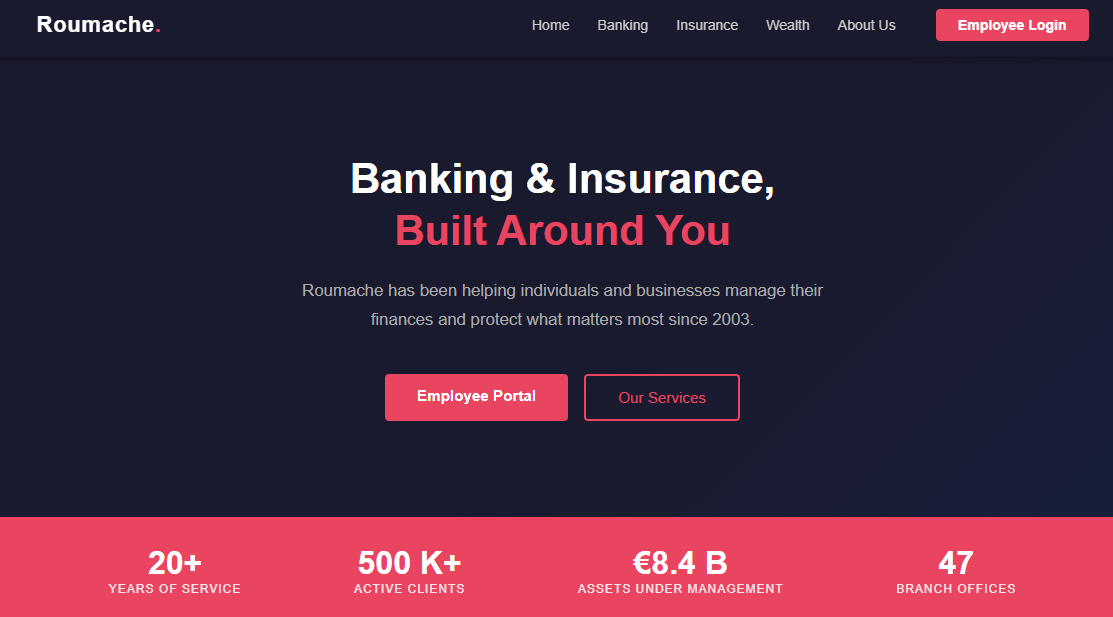
The clever part is that the mail server is not just a passive inbox. Behind it sits a bot that behaves like a careless employee: it opens incoming mail, clicks the links inside, and dutifully types its username and password into whatever login form it lands on. That single design choice is what lets a student watch a full attack play out against a "live victim" without a single real person being involved.
The attacker's toolkit
Students work from Kali Linux and assemble three pieces:
GoPhish
The phishing framework itself - manages email templates, the cloned landing page, the sending profile, the target list, and a dashboard that tracks every campaign.
MailHog
A fake SMTP server that captures every outgoing email and shows it in a web inbox. Used as a safe sandbox to verify the campaign before anything goes out for real.
Cloudflare Tunnel
Exposes the locally-running GoPhish landing page to the internet, so the remote target can actually reach it during the live phase.
Building the campaign
Before any email is sent, students assemble the attack piece by piece. Each step maps to a real technique and a question they have to reason about.
{{.URL}} tracking variable, and enable a
tracking pixel to record opens.
Roumache IT <it-support@roumache.com>.
Spoofing an internal address is more credible to an employee than an outside one
- and it works here because the target's mail server accepts unauthenticated mail, which
is exactly the kind of weakness students learn to spot.
The three-phase progression
This is the heart of the lab's design. Instead of pointing a loaded campaign at the target straight away, students climb a ladder from safe and local to realistic and automated. Each phase removes one safety net and adds one piece of realism.
Send a test email into MailHog
A single test email is fired into MailHog and inspected in its web inbox: the
From address, the subject, the HTML rendering, the button, the tracking
pixel. Nothing leaves the machine.
Why: validate that the template and sending profile actually work before anything real is at stake.
A full campaign, still local
Now a real GoPhish campaign runs, but MailHog is still the mailbox and the student plays the victim: they open the mail, click the link, and submit fake credentials on the cloned page - watching the dashboard light up at each step.
Why: learn how GoPhish tracks a campaign - by driving every status transition yourself.
A real campaign against the simulated employee
The sending profile is switched from MailHog to the real roumache.com:25
mail server, and the landing page is exposed to the internet through a Cloudflare
Tunnel. Then the campaign is launched - and the dashboard advances on its own,
because the bot behind the mail server opens, clicks and submits automatically, exactly
like a real victim would.
Why: experience a complete attack against a "living" target - no real person, but the full kill chain, hands-off.
# expose the local GoPhish landing page to the internet
cloudflared tunnel --url http://localhost:8080
# → https://random-words-here.trycloudflare.com
The payoff
After the live campaign, the credentials the bot typed in sit waiting in GoPhish's
Submitted Data. Students take that username and password, go to
roumache.com/login, and sign in as the victim. Seeing the attacker actually
land inside the account - with credentials harvested fully automatically - is the moment the
whole point of the lab clicks into place.
What it teaches
Every step carries a reflection question, so the techniques add up to a defender's mental model rather than a recipe:
- Why a cloned, genuine email beats one written from scratch.
- How sender spoofing works on an unauthenticated mail server - and why internal spoofing is more dangerous.
- What tracking pixels and per-recipient URLs reveal about a target's behaviour.
- What betrays a cloned login page: the domain, the certificate, the missing padlock.
- Email authentication - SPF, DKIM, DMARC - explored through a bonus that scores the phishing email's deliverability.
- The defender's side: which tools and policies would have detected or blocked the campaign.
The result is a lab where students don't just learn that phishing works - they learn precisely how and why it works, which is exactly what they need in order to stop it.